.png?width=161&height=26&name=SiteConnect%20Logos%20(LinkedIn%20Post).png)
A geofence is a boundary you draw around a site on a map in the Web Portal. Once a site has a geofence, and a worker has granted the SiteConnect Mobile App location access, SiteConnect signs them in automatically when they arrive and out again when they leave.
At a glance
|
For |
Company administrators, site managers & mobile app users |
| Platform | Web Portal and Mobile App |
| Applies to | All regions |
| Time to Read | About 2 minutes |
| You'll understand |
• What a geofence is and how SiteConnect draws it. |
How a geofence is set up
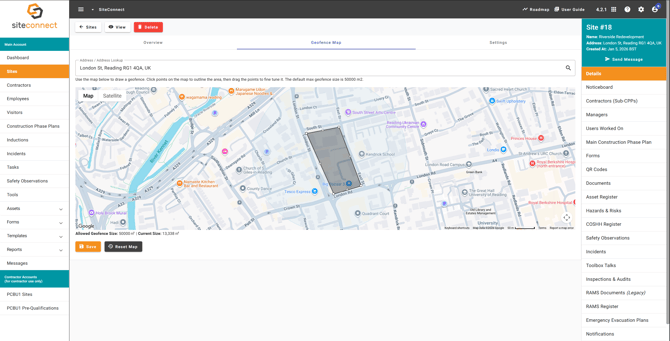
A company administrator draws the geofence as a polygon in the Web Portal, plotting at least three points around the site boundary — it isn't a circle with a set radius, and a site's geofence can cover up to 50,000 m² by default. The worker also needs the Mobile App installed, needs to be linked to the site, and must grant location access when prompted.
What happens when you arrive or leave
SiteConnect recognises three geofence events: entry, exit and dwell. Arriving triggers an automatic sign-in and a push notification reminding the worker to open the app and acknowledge the site induction. Leaving signs the worker out automatically, with a short delay to avoid a premature sign-out caused by GPS drift. Geofence sign-ins are recorded with the method GPS, so you can tell them apart from QR code, kiosk and manual sign-ins in your site activity reports.
Your privacy while geofencing is active
Geofencing runs in the background, even when the app is closed, but SiteConnect doesn't track location continuously. Your device only sends its location to SiteConnect when it detects a geofence event, along with the device ID and site ID. iOS and Android both display their own on-screen indicator whenever background location tracking is running.
Next recommended step
Set up a geofence for your first site
Next article: How do I enable geofencing for a site?