.png?width=161&height=26&name=SiteConnect%20Logos%20(LinkedIn%20Post).png)
In the Mobile App, editing is restricted to site managers, and only when the asset allows site manager edits. In the Web Portal, you need permission to manage Assets.
At a glance
|
For |
Company administrators, site managers |
| Platform | Web Portal |
| Applies to | All regions |
| Time to Read | About 2 minutes |
| Checks in this article |
• You don't manage the asset's site (Mobile App). |
Checks to complete
You aren't linked as a 'Manager' to the site
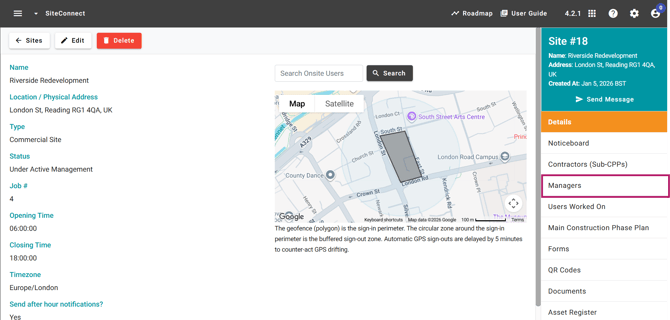
The Edit asset button only appears on Mobile when you are linked as a manager in the asset's linked site. In the web portal, navigate to the asset's linked site and check the Managers tab. If you are not listed, you won't be able to edit the asset via mobile.
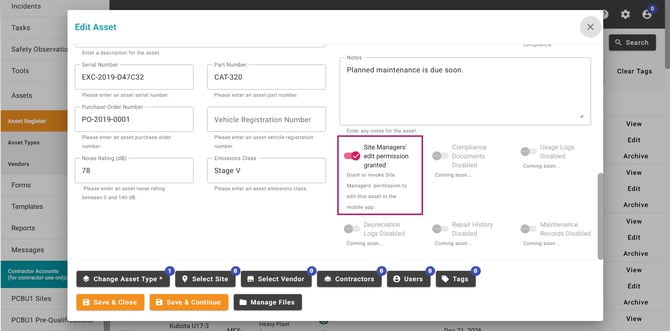
The asset doesn't allow site manager edits
Check whether Site managers can edit is turned on for this asset in the Web Portal.
You don't have permission to manage Assets (Web Portal)
Ask a company administrator to confirm your permission to manage Assets.
Result
You'll know it's fixed when the Edit option is available, the asset module is visible in the Web Portal, and your changes save successfully.